
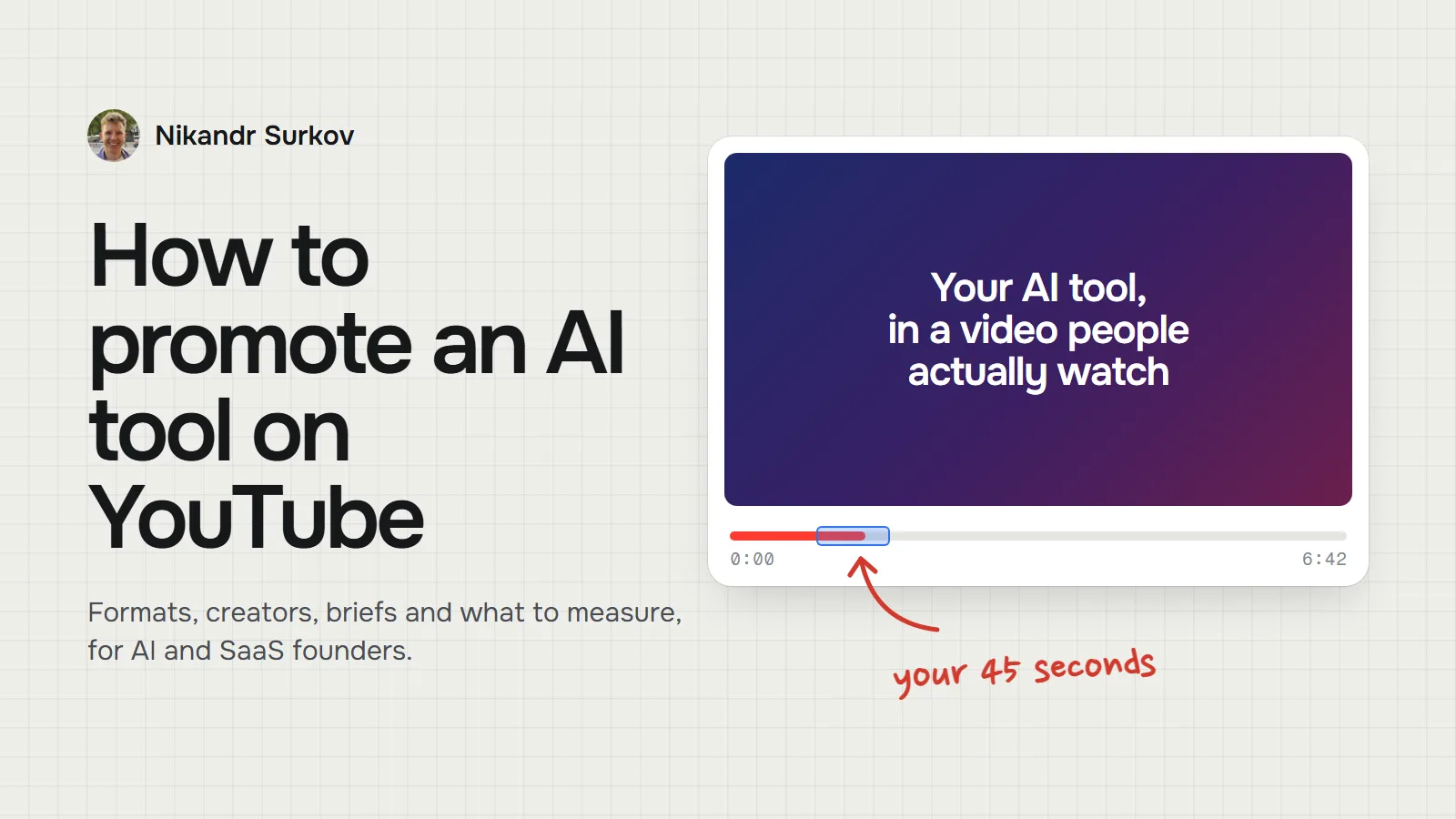
The fastest way to promote an AI tool on YouTube is to sponsor creators whose viewers already look for tools like yours. Pay for a 30 to 60 second segment in the first minutes of a video, give the creator a one-page brief and let them say it in their own words, then judge the result over 90 days rather than one week.
That's the whole method. The rest of this guide is the detail: how to pick creators now that YouTube counts views differently, what to send them, where in the video your segment should sit, and how to tell whether it worked. Where I can, I show numbers from my own channel's analytics instead of general advice.
How I know this, and my interest in it. I'm Nikandr Surkov. I make videos comparing AI models for 101K subscribers, and I sell sponsored integrations on my channel. So I see sponsorships from the creator's side, including the analytics brands rarely get to look at. It also means I'm on the other side of the deal from you. Everything here applies to any creator you work with, and the numbers from my channel are shown as they are.
Three ways to get your AI tool on YouTube
| Sponsor creators | Run YouTube ads | Start your own channel | |
|---|---|---|---|
| What you pay for | A segment in a creator's video | Impressions and views | Your own time |
| How fast | Days to weeks | The same day | Months |
| Who speaks | The creator, from your brief | You | You |
| How viewers see it | A recommendation from someone they follow | An ad, often skipped | Depends on your reputation |
Most AI companies end up using all three. If you're starting out, sponsor creators first: within a few weeks you learn which audiences respond, and the videos keep working for months. Ads are better once you know who your customer is, and your own channel pays off later, when you have tutorials worth searching for.
Why YouTube works for AI tools
People don't buy an AI tool from a feature list. They try it after they've seen it do the thing they need, and video is the only format that shows that in a minute. YouTube also behaves more like a search engine than a social feed. Over the past 12 months, more than one in five views on my channel came from YouTube search, from people typing what they wanted to learn or which model to try:
Two of the search terms that brought the most viewers to my channel over the past 12 months were "minimax h3 image" and "telegram mini app". Both are tool and topic names. When a creator's videos rank for searches like these, a sponsored segment in them reaches people who are already shopping.
Pick a format
| Format | How long | Best for |
|---|---|---|
| Integration | 30 to 60 seconds inside a regular video | Products people understand in a minute |
| Dedicated video | The whole video, usually 5 to 15 minutes | Products that need a full demo |
| Short | 30 to 60 seconds, vertical | A reminder alongside a longer video |
| Tutorial | A step-by-step build | Developer tools people search for |
Start with an integration. It costs a fraction of a dedicated video and tells you quickly whether a creator's audience responds. If it works, a tutorial or a dedicated video with the same creator is the natural next step, and tutorials are the format that keeps getting found in search (more on that below).
Choose creators by engaged views, not subscribers
A subscriber count tells you how many people once clicked a button. It doesn't tell you who will watch the video your segment is in. On my channel the gap is large:
- of my views in the last 90 days came from people not subscribed to the channel
- 96%
- of my views over the last 12 months came from non-subscribers
- 84%
- subscribers, a number that says little about who watches a given video
- 101K
YouTube decides who sees each video, and most of those people aren't subscribers. So what you're buying is the views a video will get, and the best predictor of that is the views the creator's recent videos got.
What changed in August 2026
On August 24, 2026, YouTube started counting a public view from the moment a video's first frame loads. It now also reports engaged views separately, which YouTube defines as clicking to watch, or watching past the first few seconds. Public counts went up; what advertisers care about didn't.
How big is the gap? Agentio, a creator sponsorship platform, looked at more than 75,000 videos: only about 6 in 10 public views were also engaged views, and technology had the lowest rate of any category, at 46%. So ask every creator for engaged views, and compare channels on that number.
Check the audience fits your product
Ask for the audience breakdown from YouTube Analytics: age, top countries and devices. Devices matter more than most founders think. If people sign up for your tool on a laptop, you want viewers who are watching on one:
The numbers to ask every creator for
- Public and engaged views on their last 10 long videos. Use the median, not the average: one viral hit can hide a channel whose recent videos get a few hundred views.
- Audience retention for one recent video, so you know how many people will still be watching when your segment plays.
- Age, top countries and device split for the last 90 days.
- The share of views from non-subscribers, which shows how much YouTube is recommending their videos right now.
- Traffic sources, especially the share from YouTube search.
- Their price for an integration, and what it includes: description link, pinned comment, promo code, reporting.
Then read the comments on their last few videos. Are viewers asking how to build things and which tool to use, or just reacting? Comments tell you what numbers can't: whether the audience is the kind of people who try new tools.
How to find the right creators
- Search YouTube for your category and your competitors' names. The creators who rank for "best AI tool for X" already reach people choosing a tool.
- Look at who sponsors those videos. Sponsor links sit at the top of descriptions. If your competitors keep coming back to a creator, it probably works.
- Check recent uploads, not the most popular ones. A channel's biggest hit may be two years old.
- Prefer creators who actually use tools on screen. A segment that shows the product working is worth more than one that describes it.
Your first email can be short. Ask for the numbers up front, so you can compare creators before anyone talks price:
Subject: Sponsoring a video in [month]

Hi [name],

I'm [your name] from [product], [what it does in one sentence]. Your video "[title]" is exactly what our users watch.

We'd like to sponsor a 30 to 60 second integration in one of your videos in [month]. Could you send:
- public and engaged views on your last 10 long videos
- audience retention for one recent video
- top countries and device split for the last 90 days
- your price for an integration, and what it includes

Thanks,
[your name]
Write a one-page brief
Creators don't need a deck. They need to know what the product does, who it's for and what you want viewers to do. Leave the words to them: viewers can tell a pasted script from a creator talking the way they always talk, and they skip the first one.
PRODUCT
What it does, in one sentence a customer would say:
Website:

WHO IT'S FOR
(e.g. developers who ship side projects; not "everyone")

KEY POINTS (2 or 3, the creator picks what fits)
1.
2.
3.

ONE ACTION FOR VIEWERS
(sign up / start the free trial / use the code)

LINK AND CODE
Tracking link: https://[your-site]/?utm_source=youtube&utm_medium=sponsorship&utm_campaign=[creator]-[yyyy-mm]
Promo code:

SAY / DON'T SAY
Must say:
Don't say: (prices that may change, claims your lawyers haven't approved)

DATES
Script or draft to us by:
Video live on:
Reports on: day 7, day 30, day 90
What a 30 to 60 second integration should contain
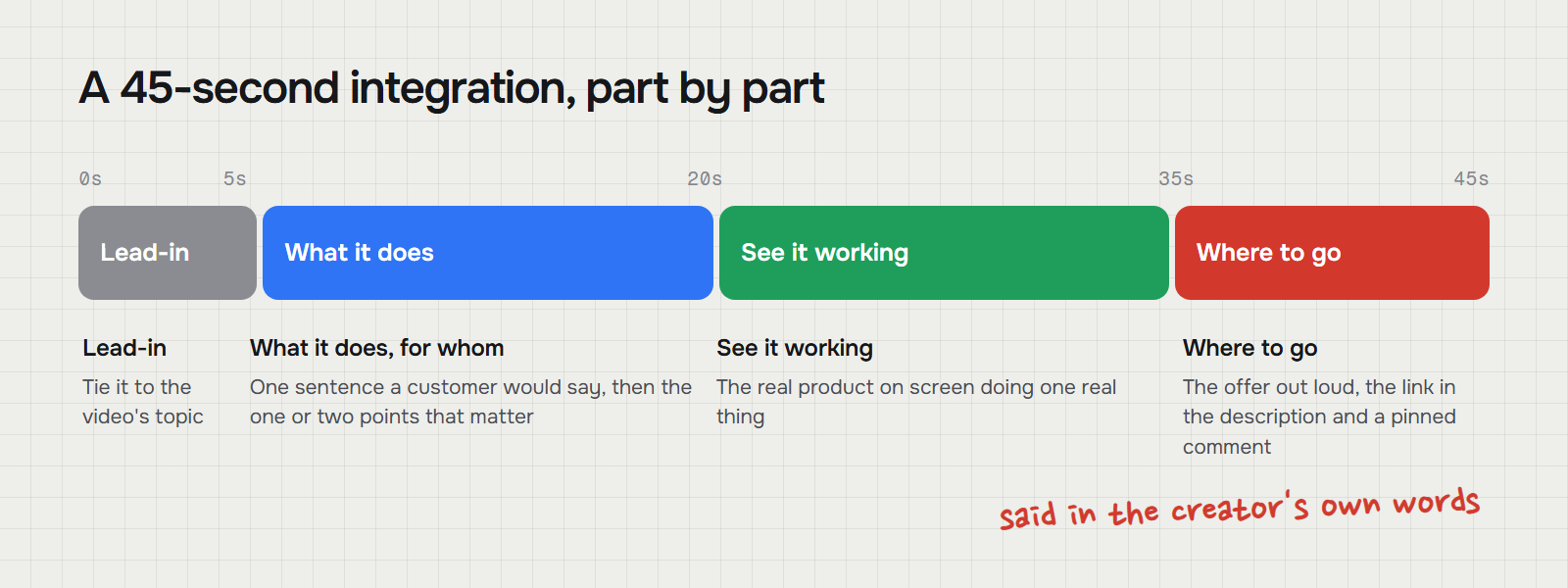
- A lead-in that connects your product to the topic of the video, so the segment doesn't feel like a break.
- What it does and who it's for, in plain words.
- A quick look at it working. A few seconds of the real product on screen do more than any amount of description.
- Where to go next. The offer said out loud, with the link at the top of the description and in a pinned comment.
Where in the video to place it
Early. Audiences thin out fast in the first minute and keep thinning to the end. This is how many viewers were still watching at each point, averaged over my last 10 videos:
Time into the video (minutes:seconds)
| 0:00 | 99% |
|---|---|
| 0:15 | 69% |
| 0:30 | 57% |
| 1:00 | 45% |
| 1:30 | 41% |
| 2:00 | 39% |
| 3:00 | 32% |
| 4:00 | 30% |
A segment that starts at 0:30 plays to about 57% of the people who opened the video. One at the end plays to about 15%, nearly four times fewer, for the same price. Ask for a spot in the first 90 seconds, and ask the creator for the retention at that timestamp afterwards.
This is the kind of video an AI integration sits in, an AI model comparison from my channel:
Disclose it
On YouTube, a sponsored video needs the paid promotion label, which the creator turns on when uploading; YouTube then shows a disclosure at the start of the video. Say it out loud too. The US Federal Trade Commission's guidance is that when an endorsement is spoken, the disclosure should be spoken as well. YouTube's help page lists the regulators in other countries, such as Germany's media authorities, and makes clear that creators and the brands they work with are both responsible for complying.
Measure it over 90 days
Sponsored videos keep getting found long after the upload day:
- of views on sponsored videos come more than 30 days after they go live
- ~40%
- of clicks come more than 30 days after they go live
- ~30%
- of public views on technology videos were also engaged views
- 46%
That's why Agentio recommends a 90-day window for judging a sponsorship. On my own channel, how long a video keeps collecting views depends on how people find it:
| Video | Published | Views | Views after the first 30 days |
|---|---|---|---|
| Add TON Testnet Chain to Tonkeeper in 1 minute | May 2024 | 75,328 | 98% |
| Create a Jetton (token) on TON in 1 minute | May 2024 | 17,312 | 90% |
| I Made a Hamster Kombat Telegram Mini App in 46 Minutes | June 2024 | 66,566 | 68% |
| Make TON Telegram Mini App, part 1 | July 2024 | 36,492 | 67% |
| I Created a Viral Telegram Game | September 2025 | 363,385 | 30% |
| The Easiest Way to Build a Telegram Mini App and Bot | July 2025 | 218,350 | 5% |
How-to videos that people search for kept collecting views for years. The two that spread through recommendations got most of their views in the first month. If you want a sponsorship that keeps working, choose a creator whose videos people search for, or sponsor a tutorial.
Set up tracking before the video goes live
- A tracking link at the top of the description and in the pinned comment, with UTM parameters, one campaign name per creator and month.
- A promo code said out loud. It catches viewers who type your address instead of clicking.
- A "where did you hear about us?" question at sign-up. Many people watch on a TV or phone and sign up later on a laptop, so links miss them.
Agree on reporting before you pay. Ahrefs recommends discussing it early with every creator, because some send updates on a schedule and others need reminders. This template covers what to ask for:
Video:
Live since:

From the creator (YouTube Analytics)
- Public views:
- Engaged views:
- Share of viewers still watching at the segment's start:
- Clicks on the description link and pinned comment:

From your side
- Promo code uses:
- Sign-ups from the tracking link:
- Sign-ups that answered "YouTube" or the creator's name:

Worked out
- Cost per 1,000 engaged views = price / engaged views x 1,000
- Cost per sign-up = price / all sign-ups above
Compare creators on cost per sign-up once you have it, and on cost per 1,000 engaged views before you do. Don't compare them on subscribers.
Repeat what works
The second integration with the same creator usually does better than the first. Agentio found that each repeat integration with the same creator improves click-through rate by about 10%. People need to see a product more than once before they try it. If the first test brings you the right users, book a few more with the same creator instead of moving on. If two integrations with one creator bring you nobody who sticks, move on.
Common mistakes
- Paying by subscriber count. Price on recent engaged views.
- Sending a script to read word for word. Send key points and let the creator talk.
- Accepting a slot at the end of the video, where a fraction of the audience is left.
- Ten key points. Viewers remember one. Give two or three.
- One link and no code. You'll miss everyone who signs up later on another device.
- Judging after a week. You'll undercount by a third or more.
- Switching creators after one try, before repeats have had a chance to work.
Questions founders ask
How much should I pay a YouTuber to promote my AI tool?
There is no fixed rate, and creators price differently, so compare offers on the same yardstick: price divided by the engaged views the creator's recent videos get. Once you've run a test, switch to cost per sign-up. If you'd like a quote for my channel, the pricing section of my advertiser page explains how I set prices.
How do I find YouTubers to promote my product?
Search YouTube for your category and your competitors' names, note who ranks and who already has sponsors, and check their recent uploads rather than their most popular ones. Then ask the ones who fit for the numbers in the first-email template above.
Should I do a one-off integration, a long-term deal or affiliate only?
Start with a one-off integration as a test. If it works, a run of three or more with the same creator usually does better per video than new one-offs. Many creators turn down affiliate-only deals for products their viewers haven't heard of, because their pay would depend on sales they can't control.
Should I offer a discount code or a longer free trial?
For AI tools and SaaS, a longer free trial or extra credits often work better than a discount, because the hard part is getting people to try the product, not the price. Either way, give every creator their own code so you can see which audience converts.
How long does it take to see results?
Many views come in the first week, but a large share comes later: in Agentio's data, about 40% of views came more than 30 days after the video went live, and on my channel some tutorials got over 90% of their views after the first month. Look at early numbers after a week, and make the decision at 90 days.
What's the difference between views and engaged views?
Since August 24, 2026, YouTube counts a public view as soon as a video's first frame loads. An engaged view means the viewer clicked to watch or watched past the first few seconds. Engaged views are the number to pay for.
Does YouTube work for B2B and developer tools?
Yes, if the product can be shown working. On my channel, 56% of views are on a computer, which is where people sign up for developer tools. Tutorials are the strongest format for developer tools because people keep finding them through search.
Sources
- My channel's data: YouTube Analytics for the Nikandr Surkov channel, pulled on November 25, 2026: traffic sources, subscriber status, devices, audience retention and daily views per video.
- Agentio, The Ultimate 2026 YouTube Creator Marketing Playbook, January 14, 2026. Agentio runs a creator sponsorship platform.
- Tubefilter, YouTube's new public viewcounts over-report actual engagement by 40%, September 4, 2026, reporting Agentio's data on 75,000+ videos.
- Tubefilter, YouTube’s now counting public views from the first frame, August 18, 2026.
- YouTube Official Blog, What are "Engaged" Views on YouTube?, August 19, 2026.
- YouTube Help, Add branded content restrictions and disclosure labels.
- US Federal Trade Commission, FTC's Endorsement Guides: What People Are Asking.
- Ahrefs, We Spent >$1 Million Sponsoring Creators, March 10, 2025.